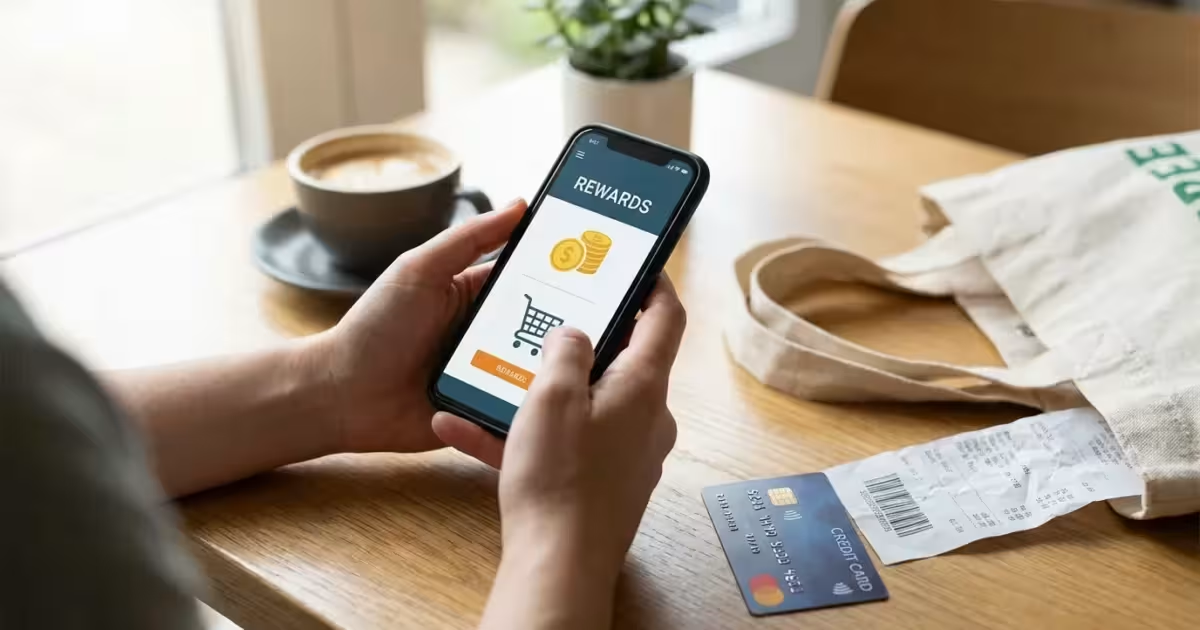
Every time you swipe your card or tap “checkout” online, you might be leaving money on the table. In an era where inflation impacts every grocery run and gas tank fill-up, finding ways to stretch your dollar is not just a bonus—it is a necessity for many households. Cashback apps have evolved from niche couponing tools into powerful financial instruments that can put hundreds of dollars back into your pocket annually.
Maximizing your savings also means looking at where money is leaking out, such as unnecessary monthly subscriptions you might have forgotten.
This isn’t about extreme couponing or hoarding newspapers. Modern cashback rewards are seamless, digital, and surprisingly lucrative. Whether you are paying down debt, saving for a vacation, or simply trying to stay within your monthly budget, these tools turn your necessary spending into tangible returns.
Transparency: This article may reference financial products, tools, or services. If you sign up through links on this page, we may earn a commission at no extra cost to you. Our recommendations are based on editorial judgment, not compensation.
Audience Scope: This guide is for U.S. residents seeking practical ways to reduce daily expenses and maximize shopping rewards. If you have complex circumstances such as business ownership involving large-scale purchasing or high net worth asset management, we recommend consulting with a qualified financial professional.

Key Takeaways
- It’s Not Free Money, It’s a Rebate: Cashback is essentially a delayed discount. Treat it as a bonus, not an excuse to spend more than you budgeted.
- Stacking is the Secret: You can often combine a store sale, a credit card reward, and a cashback app offer on a single purchase to triple your savings.
- Data is the Currency: Most free cashback apps monetize your shopping data. You must decide if the rewards are worth the privacy trade-off.
- Consistency Wins: Earning significant money takes time. Small amounts ($0.25 here, $1.00 there) add up to significant sums over six months.
- Cash Out Regularly: Don’t treat these apps like savings accounts. Transfer your earnings to your bank as soon as you hit the minimum threshold.

How Cashback Apps Actually Work
Before you download anything, it helps to understand the business model. Skepticism is healthy in personal finance. Why would a company give you cash for buying toothpaste or booking a hotel?
Learning how to save money while still enjoying life is much easier when you use these rewards to offset the cost of dining and entertainment.
To stay motivated, try incorporating your rebate goals into one of many popular money-saving challenges to see how fast your balance grows.
Cashback apps operate on affiliate marketing commissions. When you use an app to buy a product from a retailer (like Walmart, Target, or Home Depot), that retailer pays the app a commission for sending you their way. The app then shares a portion of that commission with you in the form of cashback.
For example, if a shoe store pays a cashback portal a 10% commission on a sale, the portal might keep 5% and give you the other 5%. It is a win-win-win: the store gets a sale, the app gets revenue, and you get a discount.
According to the Federal Trade Commission (FTC), consumers should always be aware of how their data is used in these transactions. While the monetary exchange is straightforward, your shopping habits are valuable data points that these companies analyze to serve you more targeted ads in the future.

The Three Main Types of Cashback Platforms
Not all apps work the same way. To maximize your earnings, you should ideally use a combination of the three main categories described below.
Whether you are purchasing brand-new gadgets or buying refurbished electronics, these platforms help lower the total cost of ownership.
While these platforms focus on shopping rebates, integrating them with popular budgeting apps can help you track your overall financial progress more effectively.
1. Receipt Scanning Apps
These apps require you to snap a photo of your physical receipt after shopping. They use optical character recognition (OCR) to identify specific items you bought that have active offers.
- Best for: Grocery shoppers and people who prefer physical stores.
- Pros: You can decide to use them after you shop; no pre-planning required for some apps.
- Cons: Requires manual effort to photograph receipts; receipts can be rejected if blurry.
2. Linked Card Apps
These are “set it and forget it” tools. You securely link your credit or debit card to the app. When you swipe that card at a participating restaurant or retailer, the app recognizes the transaction and automatically credits your account.
- Best for: Dining out and local retail.
- Pros: Zero friction; passive earning.
- Cons: Requires trusting the app with your card credentials; offers are often limited to specific locations.
3. Browser Extensions and Portals
These are primarily for online shopping. You install a small extension on your web browser (like Chrome or Safari). When you visit a site with cash back, a pop-up alerts you to “Activate 5% Cash Back.”
- Best for: Online shopping, travel bookings, and electronics.
- Pros: extremely high earning potential on big purchases; automatic coupon testing.
- Cons: Easy to forget to activate; requires shopping on a computer or mobile browser rather than a retailer’s native app.

Step-by-Step: How to Start Earning Today
Getting started is intimidating only because there are so many options. Follow this streamlined process to set up your system without overwhelming yourself.
Step 1: Choose Your Core Apps
Don’t download twenty apps at once. Start with one for groceries (like Ibotta or Fetch) and one for online shopping (like Rakuten). Master these before expanding.
Step 2: Create a Dedicated Email Folder
These apps send a lot of marketing emails—that is part of how they drive sales. Create a filter in your email inbox so these notifications don’t clutter your primary workspace. You want to see the offers when you are ready to shop, not when you are trying to work.
Step 3: Link Your Accounts Securely
If you are using a linked-card app, use a credit card rather than a debit card if possible. Credit cards offer stronger fraud protection. As noted by the Consumer Financial Protection Bureau (CFPB), credit cards generally limit your liability for unauthorized charges to $50, whereas debit card liability can be higher if not reported immediately.
Step 4: The “Pre-Shop” Check
Before you leave the house or click “buy,” take 30 seconds to check your apps. Is there a $2.00 rebate on the laundry detergent you were going to buy anyway? Add it to your list. This small habit is the difference between earning $5 a month and $50 a month.

The “Stacking” Strategy: Maximizing Returns
The true power of cashback comes from “stacking”—layering multiple rewards on a single transaction. This is perfectly legal and encouraged by savvy financial experts. By combining a store sale, a credit card reward, and a cashback app, you can significantly reduce the final cost of an item.
These layering techniques are vital during massive sales events; for instance, a coordinated Prime Day strategy can turn standard deals into massive bargains.
Here is a concrete example of how stacking works on a $100 pair of sneakers:
| Layer | Source | Discount/Reward | Value |
|---|---|---|---|
| 1. Store Sale | Retailer Clearance | 20% Off | $20.00 Saved |
| 2. Cashback Portal | Online App/Extension | 10% Cash Back | $8.00 Earned (on $80) |
| 3. Credit Card | Your Rewards Card | 2% Rewards | $1.60 Earned |
| 4. Receipt Scan | Scanning App | 500 Points | $0.50 Value |
| Total | Combined | ~30% Net Savings | $30.10 Total Benefit |
In this scenario, you paid $80 at the register, but after accounting for the cashback and points, the net cost is roughly $69.90. You saved over 30% simply by clicking a few buttons and using the right card.
Experts at NerdWallet suggest checking for “boosts” or seasonal promotions on your credit cards that might align with specific retailers, adding yet another layer to your stack.

In-Store vs. Online: Tactics for Both
Your strategy should change depending on where you are shopping. The mechanics of capturing the reward differ, and missing a step often means forfeiting the cash.
These tactics are particularly helpful during peak shopping seasons, such as when you are following a back-to-school budgeting plan for your family.
Before you even activate a cashback offer, consider using price tracking tools to ensure the item’s base price hasn’t been inflated.
In-Store Tactics
Barcode Scanning: Some apps allow you to scan items right in the aisle to see if they qualify for rewards. This is great for generic items. For example, an offer might say “$1.00 off any brand of milk.”
Loyalty Linking: Many grocery stores allow you to link their loyalty account directly to cashback apps. When you type your phone number at the register, the data is sent automatically to the app, saving you from scanning the paper receipt later.
Online Tactics
Disable Ad Blockers: This is critical. Cashback tracking relies on cookies. If you run an aggressive ad blocker, it may sever the link between the cashback portal and the retailer, causing the transaction to fail to track.
Avoid “Tabs” Confusion: To ensure tracking works, start the session from the cashback portal and complete the purchase in that same window. Don’t add items to your cart on your phone and then finish the purchase on your laptop later—the “cookie” trail will be broken.

Privacy and Security: The Trade-Off
There is an old saying in the tech world: “If the product is free, you are the product.” Cashback apps are no exception. By using them, you are voluntarily sharing detailed data about your purchasing habits, location, and brand preferences.
While optimizing your data settings, you can find other painless ways to save money to further boost your monthly bottom line.
According to Consumer Reports, you can often limit the amount of data collected by adjusting the permissions on your phone. For example, set location services to “Only While Using the App” rather than “Always On.” This prevents the app from tracking your movements when you aren’t actively shopping.
Risk Mitigation Tips:
- Use distinct passwords: Never use the same password for your bank and your cashback app.
- Cash out frequently: If an app shuts down or bans your account, any unredeemed balance is usually lost. Do not let hundreds of dollars sit in a virtual wallet.
- Read the fine print: Understand that you are selling your purchase history in exchange for rebates. If you are uncomfortable with this, these apps may not be for you.

Common Pitfalls to Avoid
While earning money is great, these apps employ psychological triggers designed to make you spend more. Being aware of these traps is essential to actually saving money.
The “Spend to Save” Trap
You might see an offer for “$5.00 cash back on premium coffee.” If you usually buy generic coffee for $10, but the premium brand costs $18, you are spending $13 net ($18 – $5) instead of your usual $10. You haven’t saved money; you have spent $3 extra for a fancier product you didn’t need.
The Minimum Payout Threshold
Most apps require you to earn a minimum amount (often $20 or $25) before you can withdraw funds. This can lead to “orphan points,” where you have $15 stuck in an app you no longer use. Stick to the major, reputable apps to ensure you can reach the threshold reasonably quickly.
Impulse Buying
Push notifications saying “Flash Sale: 15% Cash Back!” create a sense of urgency. The National Foundation for Credit Counseling (NFCC) warns that impulse buying is a leading cause of budget failure. If you didn’t plan to buy it yesterday, a 15% rebate doesn’t make it a good deal today.

When to Consult a Financial Professional
While using cashback apps is generally a safe DIY financial move, there are specific situations where you should seek professional guidance.
- Business Use: If you are using personal cashback apps for significant business expenses, the tax implications can be complex. The Internal Revenue Service (IRS) generally views credit card rewards and rebates as non-taxable discounts, but this can change if you are manufacturing spending for a business. A CPA can clarify your tax liability.
- Debt Management: If you find yourself overspending on credit cards just to earn points or cashback, you may be in a debt spiral. If your interest payments exceed your cashback earnings (which they almost always do), consult a credit counselor immediately.
- Compulsive Shopping: If the “gamification” of these apps triggers compulsive shopping behaviors that affect your livelihood or relationships, seek help from a therapist or counselor specializing in financial behaviors.
You can find qualified professionals through the Certified Financial Planner Board or the National Foundation for Credit Counseling.
Frequently Asked Questions
Are cashback earnings taxable?
Generally, no. According to the IRS, cashback rewards on purchases are typically considered a “rebate” or a discount on the purchase price rather than income. However, sign-up bonuses (where no purchase is required) may be taxable and reported on a 1099-MISC form if they exceed $600.
How do these apps make money?
They earn a commission (affiliate fee) from the retailer every time you make a purchase through their link. They split this commission with you. They also aggregate and sell anonymized consumer shopping data to market research firms.
Can I use multiple apps for the same receipt?
Yes, usually. You can scan a grocery receipt into multiple different receipt-scanning apps because they are separate ecosystems. However, you generally cannot stack multiple online portals (e.g., you can’t click through Rakuten AND TopCashback for the same browser session).
What happens if I return an item?
If you return an item for which you earned cashback, the app will “claw back” the reward. Your account balance will be deducted by the amount you earned. If your balance is zero, it may go negative.
Is it safe to link my bank credentials?
Most reputable apps use bank-level encryption (often through third-party services like Plaid) and do not store your login credentials on their servers. However, data breaches are a risk with any digital service. Always use two-factor authentication.
When should I consult a professional about this?
You should consult a tax professional if you are earning thousands of dollars in rewards through business spending, or a credit counselor if the pursuit of rewards is causing you to carry a balance on your credit cards.
What are the risks or limitations?
The primary financial risk is overspending to earn rewards. The privacy risk is the sharing of your personal shopping data. Additionally, apps can change their terms or shut down without notice, potentially forfeiting your unredeemed balance.
Last updated: January 2026. Information accurate as of publication date. Financial regulations, rates, and programs change frequently—verify current details with official sources.
This article was reviewed for accuracy by our editorial team.
For trusted financial guidance, visit
Money.com,
Consumer Financial Protection Bureau (CFPB),
Internal Revenue Service (IRS) and
Social Security Administration (SSA).
Important: EasyMoneyPlace.com provides educational content only. We are not licensed financial advisors, tax professionals, or registered investment advisers. This content does not constitute personalized financial, tax, or legal advice. Laws and regulations change frequently—verify current information with official sources.
Disclaimer: This article is for informational purposes only and does not constitute financial, tax, or legal advice. Individual financial situations vary, and we encourage readers to consult with qualified professionals for personalized guidance. For those experiencing financial hardship, free counseling is available through the National Foundation for Credit Counseling.







Leave a Reply