
We all love the feeling of unboxing a shiny new gadget, but the price tag that comes with it can be a shock to the system. Whether your laptop just died, you need a phone upgrade, or you are outfitting a home office, buying brand-new electronics is one of the fastest ways to drain your budget. But there is a smart alternative that financially savvy shoppers have used for years: buying refurbished.
While refurbished goods are excellent for tech, you can also shop clearance sections to find brand-new items at similar price points.
Buying refurbished allows you to get high-quality tech and appliances for a fraction of the retail price. However, the world of “renewed,” “open-box,” and “refurbished” items can feel like the Wild West. Is it safe? Will the battery last? What if it breaks in a week?
This guide will walk you through exactly how to navigate the refurbished market. You will learn the difference between a bargain and a lemon, where to find trustworthy sellers, and how to protect your purchase. By changing how you shop for these big-ticket items, you can keep hundreds of dollars in your pocket without sacrificing quality.
Audience Scope: This guide is for U.S. residents and general consumers looking to save money on electronics and appliances. If you are purchasing equipment for a large business or have complex tax depreciation requirements, we recommend consulting with a qualified tax professional.

Key Takeaways
- Know the Terminology: “Refurbished” implies inspection and repair, whereas “Used” generally means sold as-is.
- Check the Warranty: Never buy a refurbished item without at least a 90-day warranty (1 year is ideal).
- Stick to Certified Sellers: Manufacturer-certified stores and major retailers offer better protections than private sellers.
- Inspect Immediately: Test battery health, ports, and screens within the first 24 hours of delivery.
- Credit Card Protections: Using the right credit card can double your warranty or offer return protection.
What “Refurbished” Actually Means
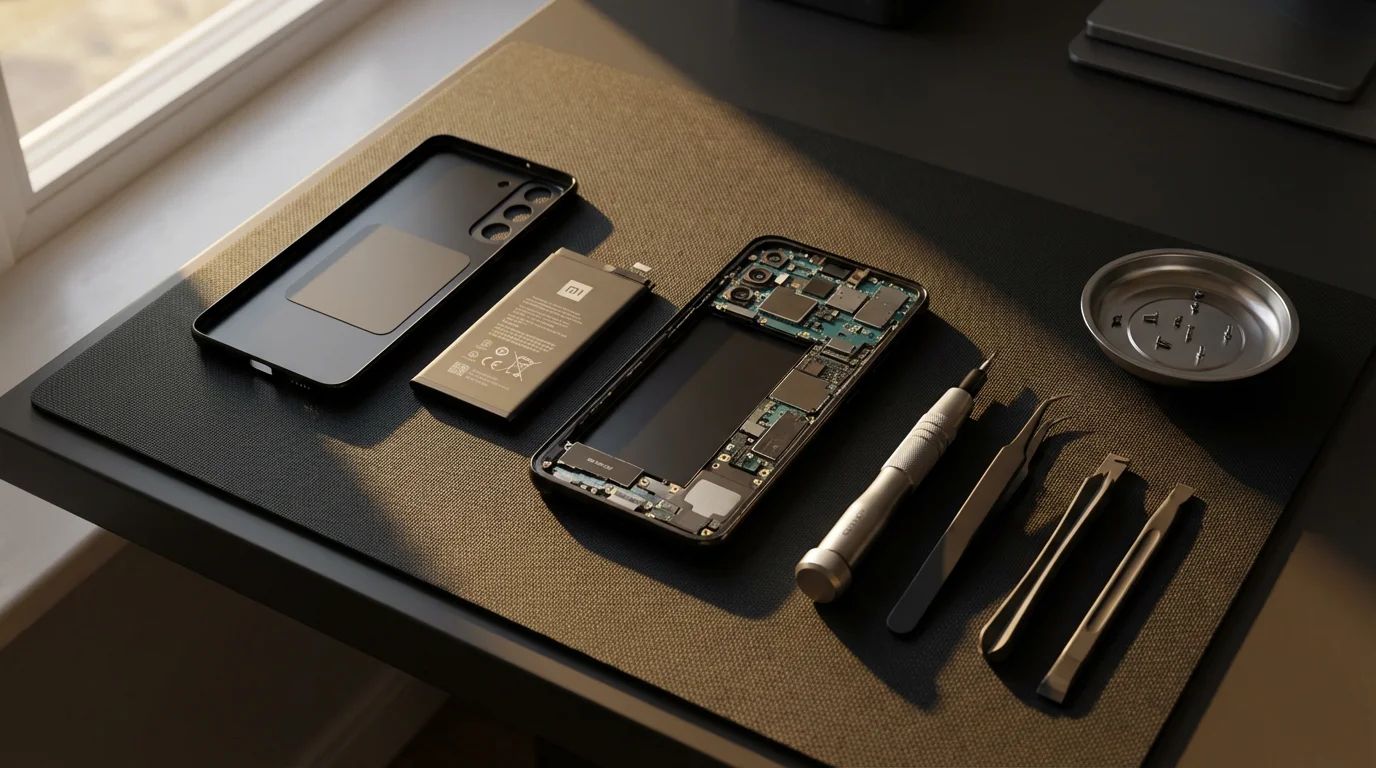
One of the biggest hurdles to buying refurbished is the confusion around the terminology. You might see terms like “renewed,” “recertified,” “open-box,” or “pre-owned.” While they are often used interchangeably, they mean very different things regarding the quality of the product you receive.
Before committing to a purchase, you can use price tracking tools to see how the refurbished price compares to historical lows for new models.
Refurbished vs. Used
A “used” item is typically sold by a previous owner in its current condition—warts and all. If you buy a used phone from a neighbor, you are getting whatever battery life and scratches it currently has.
In contrast, a “refurbished” item has gone through a professional inspection process. According to the Federal Trade Commission (FTC), it is crucial for consumers to look for clear disclosures about the product’s condition. A true refurbished product has been tested, cleaned, and repaired if necessary. Data from the previous owner should be wiped, and worn-out parts (like batteries or outer shells) are often replaced.
The Hierarchy of Refurbished Grades
Most reputable sellers grade their refurbished items so you know what to expect physically:
- Grade A (Like New): These items look pristine. You shouldn’t see any scratches or dents. They often come in original or high-quality generic packaging.
- Grade B (Good): These are fully functional but may show light signs of wear, such as faint scratches on the casing (usually not the screen).
- Grade C (Fair): These show obvious signs of use, like deeper scratches or dents. They work perfectly but look used. These offer the deepest discounts.

The Financial Impact: Why It Pays to Buy Refurbished
The primary motivation for buying refurbished is savings, but the secondary benefit is environmental. By extending the life of a product, you keep e-waste out of landfills.
Adopting this shopping habit is one of many painless ways to save money without sacrificing the quality of your household equipment.
To lower the cost even further, consider using cashback apps that offer rewards for purchases made at major electronics retailers.
To make finding these discounts easier, many shoppers use browser extensions that automatically scan for the best refurbished deals across different platforms.
Financially, the “depreciation curve” of electronics works in your favor. Just like a new car loses value the moment you drive it off the lot, a smartphone loses significant resale value the moment the shrink wrap is removed. When you buy refurbished, you let the original owner take that depreciation hit.
Typical Savings by Category:
| Product Category | Estimated Savings vs. New | Risk Level |
|---|---|---|
| Smartphones | 20% – 40% | Low (if battery is checked) |
| Laptops | 30% – 50% | Low (business class laptops are durable) |
| Tablets | 15% – 30% | Low |
| Home Appliances | 20% – 50% | Medium (harder to return/ship) |
| Headphones | 30% – 60% | Medium (hygiene/battery concerns) |
Data from consumer advocates at Consumer Reports suggests that reliable refurbished electronics can last just as long as new ones, provided you buy from a source with rigorous testing standards.

The Golden Rules of Safe Buying
To ensure you don’t end up with a defective device, you must follow a strict set of buying rules. Treat these as non-negotiable requirements for any transaction.
1. Demand a Warranty
Never buy a refurbished electronic device “as-is.” You need a safety net. A reputable refurbisher stands behind their work. Look for a minimum 90-day warranty, though a 1-year warranty is the gold standard. This protects you against internal defects that might not be immediately obvious, such as a logic board failure or a dying hard drive.
2. Verify the Return Policy
Sometimes a device just has a quirk you don’t like, or it doesn’t work with your carrier. Ensure the seller offers a “no questions asked” return window of at least 14 to 30 days. This period is your testing phase. If the seller refuses returns, walk away.
3. Check the “Certified” Status
Look for “Manufacturer Refurbished” items first. This means the original company (like Apple, Dell, or Bose) handled the refurbishment. They use genuine parts and often include a standard new-product warranty. “Seller Refurbished” means a third party did the work. This can still be good, but you need to vet the seller’s reputation carefully.

Best Places to Buy Refurbished Tech
Not all marketplaces are created equal. Here is where you are most likely to find safe deals.
Keep in mind that while refurbished prices are low year-round, major sales events like Black Friday and Cyber Monday can sometimes bring the price of new items closer to refurbished levels.
For even deeper savings, coordinate your purchase with the best time to buy specific categories of electronics when manufacturers typically refresh their inventory.
Direct from the Manufacturer
This is the safest but most expensive option. Companies like Apple, Samsung, and Dell have dedicated online outlet stores.
- Pros: New batteries, new outer shells, original accessories, standard 1-year warranty.
- Cons: Smaller discounts (usually 15% off).
Authorized Retailers
Major retailers like Best Buy (Geek Squad Certified) and Amazon (Amazon Renewed) offer robust programs.
- Pros: Easy returns (you can often walk into a store), vetted inspection processes.
- Cons: “Cosmetic” grading can vary; you might get a generic charger instead of the original.
Specialized Refurbishment Sites
Sites like Back Market and Gazelle focus entirely on used tech. They act as a middleman, vetting sellers and guaranteeing the warranty.
- Pros: Excellent variety, transparent grading systems (Fair, Good, Excellent), competitive pricing.
- Cons: You are relying on third-party repair quality.

Red Flags: When to Walk Away
You need to spot a bad deal before you enter your credit card information. According to Federal Trade Commission guidelines on online shopping, consumers should carefully review seller feedback and detailed product descriptions.
Understanding the psychology behind retail sales can also help you stay disciplined and avoid impulse-buying tech gadgets you don’t actually need.
If you are purchasing through a marketplace like eBay, knowing how to negotiate prices with individual sellers can often shave another 10% to 15% off the asking price.
Watch out for these warning signs:
- Stock Photos Only: If you are buying from an individual or a small eBay seller, demand photos of the actual item. Stock photos can hide cracks or heavy wear.
- “As-Is” Language: If the description says “untested,” “parts only,” or “as-is,” assume the device is broken.
- Soft-Unlocks (for phones): Be wary of phones described as “software unlocked.” You want “factory unlocked.” Software hacks can reset if you update the phone, leaving you with a locked device.
- Payment via irregular methods: Never pay using wire transfers, gift cards, or Cash App for shipped goods. You lose almost all consumer protections. Stick to credit cards or PayPal Goods & Services.
Product-Specific Inspection Guides
Once the box arrives, your job isn’t done. You should perform a “stress test” immediately while you are still within the return window.
Smartphones and Tablets
- Battery Health: Go into Settings (Battery > Battery Health on iPhone) and check the maximum capacity. A good refurbished phone should be at 80% or higher. If it’s below 80%, return it.
- Screen Check: Turn the brightness all the way up and open a blank white image. Look for “dead pixels” (black dots) or yellow discoloration.
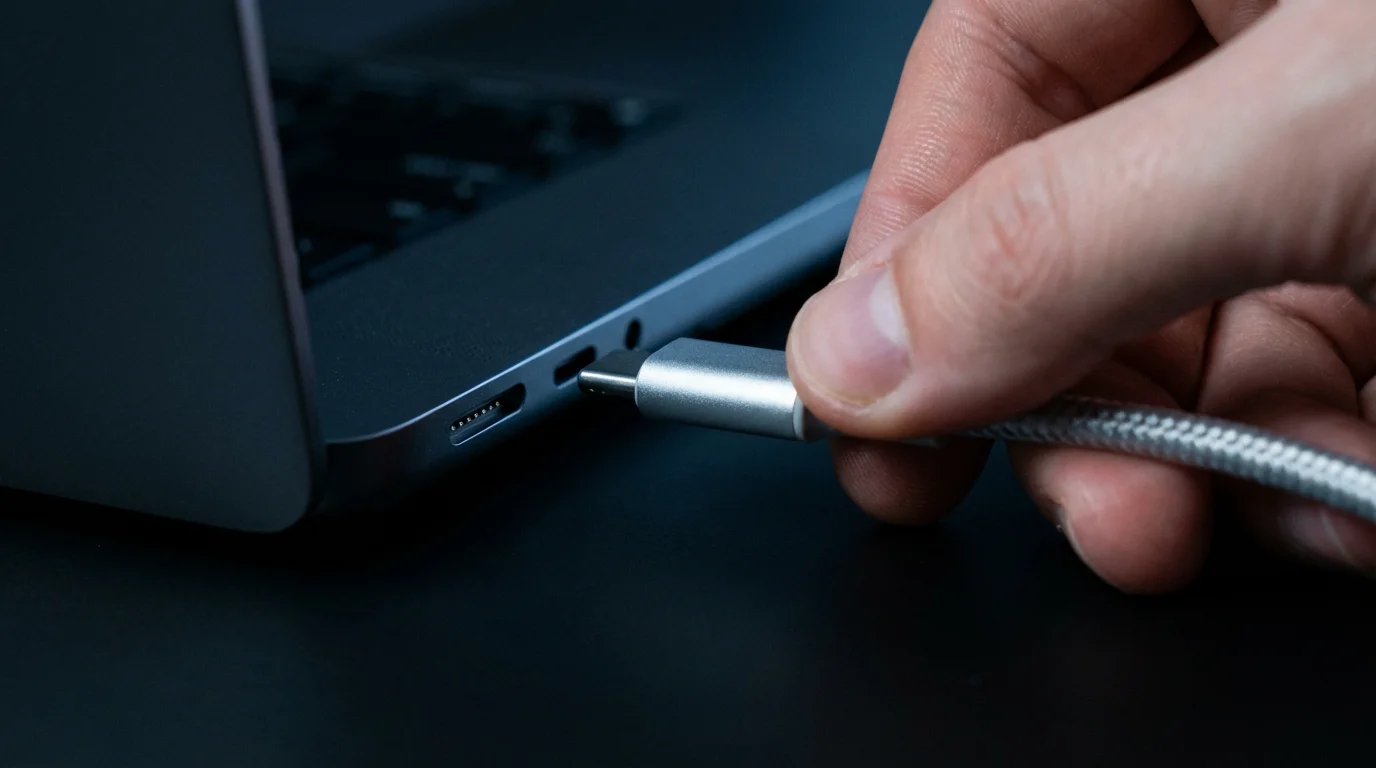
- Port Check: Plug in a charger and wiggle the cable gently. If the charging stops and starts, the port is loose.
Laptops
- Keyboard Test: Open a word processor and type every single key. Sticky or dead keys are common in used laptops.
- Port Connectivity: Test every USB port, the headphone jack, and the HDMI port.
- Stress Test: Open several programs and play a high-definition video. Listen to the fan. If it sounds like a jet engine or makes grinding noises, the cooling system may be failing.

Consumer Protections and Payment Safety
How you pay matters just as much as what you buy. The Consumer Financial Protection Bureau (CFPB) highlights that credit cards offer strong protections under federal law that debit cards often lack.
Use a Credit Card for Protection:
If you receive a defective item and the seller refuses to refund you, you can file a dispute (chargeback) with your credit card issuer. Additionally, many rewards credit cards offer “Purchase Protection” or “Extended Warranty” benefits. This can add an extra year of warranty to your refurbished item for free. Check your card’s benefits guide to see if refurbished items are covered (some policies exclude used items, so read the fine print).
PayPal Goods & Services:
If you are buying from a marketplace like eBay or Swappa, PayPal offers robust buyer protection. If the item doesn’t match the description, PayPal can facilitate a refund.

Common Pitfalls to Avoid
Even smart shoppers can make mistakes. Avoid these specific traps:
- Ignoring Software Support: Don’t buy a device so old that it no longer receives security updates. For iPhones, anything older than 5 years is a security risk. For Windows laptops, ensure it can run Windows 11.
- Overlooking Accessories: Refurbished items often come with generic chargers. A cheap third-party charger can charge your phone slowly or even damage the battery. Factor in the cost of buying a genuine charger if the listing doesn’t include one.
- Buying HDD instead of SSD: When buying a computer, ensure the storage drive is an SSD (Solid State Drive). Old HDDs (Hard Disk Drives) are slow and prone to failure.

When to Consult a Financial Professional
While buying a refurbished phone is usually a straightforward consumer decision, there are times when your purchasing habits warrant professional guidance. If you are struggling with debt or making significant business purchases, DIY strategies might not be enough.
Consider seeking help if:
- You are relying on credit for basic needs: If you are financing refurbished items because you cannot afford to replace essential tools (like a work laptop) with cash, this indicates a cash-flow emergency.
- You have unmanageable debt: If high-interest credit card debt is consuming your budget, a credit counselor can help you create a debt management plan.
- Business Expenses: If you are a freelancer or business owner outfitting an office, a tax professional (CPA) can advise you on how to depreciate refurbished assets versus expensing them immediately.
For trustworthy, non-profit financial guidance, we recommend resources like the National Foundation for Credit Counseling (NFCC) or finding a certified professional through the Certified Financial Planner Board.
Frequently Asked Questions
Are refurbished batteries safe?
Generally, yes. Reputable refurbishers test batteries to ensure they hold at least 80% of their original capacity. Manufacturer-refurbished items (like those from Apple) often get brand-new batteries installed. Always check the battery health immediately upon receipt.
What is the difference between “Open Box” and “Refurbished”?
“Open Box” typically means a customer bought the item, opened it, and returned it within a few days because they changed their mind. These are often practically new. “Refurbished” implies the item was used, found to have a defect (or traded in), and then repaired and cleaned.
Does buying refurbished void the manufacturer warranty?
If you buy from a third party, the original manufacturer warranty is likely expired or void. However, the seller should provide their own warranty. If you buy “Manufacturer Refurbished” (e.g., directly from Dell or Dyson), it usually comes with a new manufacturer warranty.
Can I return a refurbished item if I just don’t like it?
This depends entirely on the seller’s policy. Amazon Renewed and Back Market generally allow returns for any reason within 30-90 days. Private sellers on eBay may not accept returns unless the item is defective. Always read the fine print before buying.
When should I consult a professional about my purchases?
If you find yourself frequently replacing expensive electronics due to accidents or loss, or if you are financing these purchases at high interest rates, you should speak with a financial counselor. They can help you budget for a proper emergency fund or sinking fund for replacements.
What are the risks or limitations of refurbished appliances?
The biggest risk with large appliances (fridges, washers) is the “wear and tear” on mechanical parts that cannot be easily inspected, like motors or compressors. Additionally, cosmetic damage (dents) is common. According to Consumer Reports, you should ensure you have a way to transport the item back if it fails, as return shipping on heavy items can be expensive.
Is it safe to buy refurbished hard drives or storage?
We generally recommend avoiding refurbished hard drives (HDDs) or SSDs unless they are enterprise-grade drives sold by a specialist. Storage drives have a finite lifespan, and it is difficult to know how heavily the drive was written to by the previous owner. For data safety, buy storage new.
Last updated: January 2026. Information accurate as of publication date. Financial regulations, rates, and programs change frequently—verify current details with official sources.
This article was reviewed for accuracy by our editorial team.
For trusted financial guidance, visit
National Foundation for Credit Counseling (NFCC), FINRA Investor Education and Certified Financial Planner Board.
Important: EasyMoneyPlace.com provides educational content only. We are not licensed financial advisors, tax professionals, or registered investment advisers. This content does not constitute personalized financial, tax, or legal advice. Laws and regulations change frequently—verify current information with official sources.
Disclaimer: This article is for informational purposes only and does not constitute financial, tax, or legal advice. Individual financial situations vary, and we encourage readers to consult with qualified professionals for personalized guidance. For those experiencing financial hardship, free counseling is available through the National Foundation for Credit Counseling.








Leave a Reply