
Transparency: This article may reference financial products, tools, or services. If you sign up through links on this page, we may earn a commission at no extra cost to you. Our recommendations are based on editorial judgment, not compensation.
While software can automate digital coupons, learning how to negotiate prices can help you secure discounts on larger purchases where codes aren’t available.
Audience Scope: This guide is for U.S. residents looking to optimize their everyday online spending. If you have complex financial circumstances such as business procurement needs or high-volume arbitrage trading, we recommend consulting with a qualified financial professional.
Every dollar counts. When inflation drives up the price of groceries and household essentials, finding savings isn’t just a hobby—it’s a necessity for many American families. While clipping physical coupons from the Sunday paper still has its place, the modern battlefield for savings is in your web browser. Automated tools can now scour the internet for discount codes, track price drops, and secure cash back rewards while you shop, ensuring you never overpay for the things you need.

Key Takeaways
- Automation is King: Browser extensions work in the background, automatically applying the best coupon codes at checkout so you don’t have to search manually.
- Stacking Opportunities: You can often combine a coupon-finding extension with a cash-back portal and a rewards credit card to triple your savings on a single purchase.
- Data Awareness: Most extensions operate by tracking your browsing behavior on shopping sites; understanding the privacy trade-offs is essential.
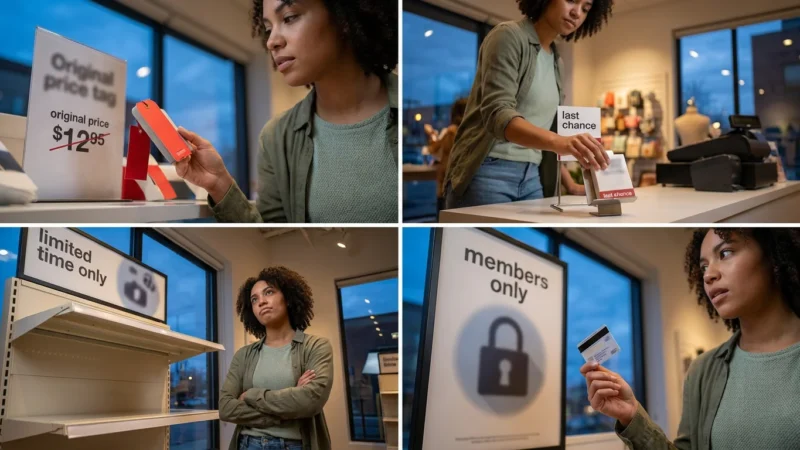
- Timing Matters: Price tracking tools help you distinguish between a “fake sale” and a genuine historical low price.
- Not Just for Gifts: These tools are equally effective for everyday recurring purchases like pet food, office supplies, and bulk groceries.

How Browser Extensions Save You Money
Browser extensions are small software programs that you install on browsers like Chrome, Firefox, Safari, or Edge. Once installed, they act as your personal shopping assistant. Instead of opening ten different tabs to compare prices or searching Google for “promo codes” that rarely work, these tools handle the heavy lifting for you.
Automated tools work best when you also understand the best time to buy everything throughout the year to capture seasonal lows.
Using these tools is one of several painless ways to save money and keep more of your hard-earned paycheck without changing your daily habits.
They generally fall into three categories:
- Automatic Coupon Testers: These tools pop up at checkout and rapidly test known discount codes in the promo box to see which one gives the biggest discount.
- Cash Back Portals: These extensions partner with retailers to earn a commission when you shop, which they then share with you in the form of cash back checks or gift cards.
- Price Trackers: These monitor the history of a product’s price, alerting you if the current price is a good deal or if you should wait for a drop.
“It’s not about how much money you make, it’s how much money you keep.” — Robert Kiyosaki

The Heavy Hitters: Comprehensive Deal Finders
These are the all-in-one tools that every smart shopper should consider installing first. They cover thousands of retailers and offer a mix of coupons and rewards.
These extensions are particularly powerful when you shop clearance sections, as they can often find hidden codes that stack on top of already deep markdowns.
1. Honey
Honey is arguably the most recognized name in this space, and for good reason. Owned by PayPal, it is incredibly user-friendly. Its primary claim to fame is the automatic coupon application feature. When you reach the checkout page of a supported retailer, a small window appears. You click one button, and Honey cycles through every known code in its database.
Why it works: It removes the frustration of “expired” codes. If Honey finds a working code, it applies the one that saves you the most money automatically.
Standout Feature: The “Droplist.” If you aren’t ready to buy, you can add an item to your Droplist, and Honey will email you if the price drops below a certain threshold.
2. Capital One Shopping
Formerly known as Wikibuy, Capital One Shopping is a powerhouse for comparison shopping. While it also applies coupons like Honey, its strength lies in cross-retailer comparison. When you view a product on Amazon, for example, this extension will check other major retailers to see if the item is cheaper elsewhere—including tax and shipping estimates.
Why it works: We often assume Amazon always has the lowest price. According to Consumer Reports, comparing prices across multiple vendors is one of the most effective ways to combat inflation. Capital One Shopping automates this instantly.
Standout Feature: You do not need to be a Capital One banking customer to use this tool; it is free for everyone.
3. RetailMeNot Deal Finder
RetailMeNot began as a massive database of coupon codes. Their browser extension brings that database directly to your shopping cart. It is particularly strong for clothing retailers, beauty brands, and pizza delivery chains.
Why it works: Because of their long history, their database of user-submitted codes is extensive. They often have exclusive codes that other extensions might miss.
Standout Feature: It combines instant cash back offers with coupon codes, allowing you to double-dip on savings in a single transaction.
4. Cently (by CouponFollow)
Cently is a lighter, faster alternative for those who find some of the major extensions too intrusive. It focuses purely on the coupon aspect. It supports thousands of stores and is known for being less “noisy” than competitors.
Why it works: It’s straightforward. It waits until you are at checkout, highlights the discount field, and asks if you want to try codes. No banners, no pop-ups while you browse.
Standout Feature: It has excellent coverage for smaller, niche ecommerce sites that the bigger giants sometimes overlook.

The Cash Back Kings
Sometimes a coupon code isn’t available. In these cases, earning cash back is your best strategy. These extensions function as a rebate program for your online life.
Shoppers often use these reward portals to maximize savings during major holiday events to determine if Black Friday or Cyber Monday offers better cash-back rates.
While earning rewards is a smart move, tracking those extra savings within reputable budgeting apps is the best way to ensure your found money helps build long-term wealth.
5. Rakuten
Rakuten (formerly Ebates) is the giant of the cash-back world. They have partnerships with over 3,500 stores. When you visit a partner site, the extension flashes a notification reminding you to “Activate Cash Back.” Click the button, shop as usual, and earn a percentage of your purchase back.
Why it works: Reliability. Rakuten sends out “Big Fat Checks” (or PayPal payments) quarterly. It is real money, not just points that are hard to redeem.
Standout Feature: During holidays and special events, Rakuten often boosts cash back rates to 10%, 15%, or even 20% at major retailers like Macy’s or Nike.
6. SwagButton (Swagbucks)
If you enjoy gamifying your finances, the SwagButton is a great choice. Like Rakuten, it offers cash back (in the form of “SB” points) for shopping. However, it also alerts you to opportunities to earn points by answering surveys or watching videos relevant to your shopping.
Why it works: It integrates with the larger Swagbucks ecosystem. You can redeem points for gift cards to Amazon, Walmart, and Target, or cash out via PayPal.
Standout Feature: They often offer a “SwagUp” bonus for your first purchase, which can be a quick $10 in your pocket.
7. Ibotta
While primarily known as a mobile app for grocery receipts, the Ibotta browser extension brings those savings to desktop grocery delivery and general retail. It is essential for families ordering groceries online from Walmart, Target, or regional chains.
Why it works: Groceries are a non-negotiable expense. Saving 1% to 5% on your weekly food bill adds up significantly over a year.
Standout Feature: It allows you to activate specific product offers (like $1.00 back on a specific brand of cereal) directly from your browser before you check out.

The Amazon Specialists
Amazon prices fluctuate wildly based on algorithms, demand, and inventory. These tools help you navigate the jungle.
If price tracking shows an item is still above your budget, consider buying refurbished electronics through verified manufacturer outlets to save even more.
Having these specialized tools ready is essential for executing a successful Prime Day strategy and avoiding the trap of impulse buying.
Beyond using price trackers, mastering a few essential Amazon shopping hacks can help you navigate the platform’s algorithm for even deeper discounts.
8. CamelCamelCamel (The Camelizer)
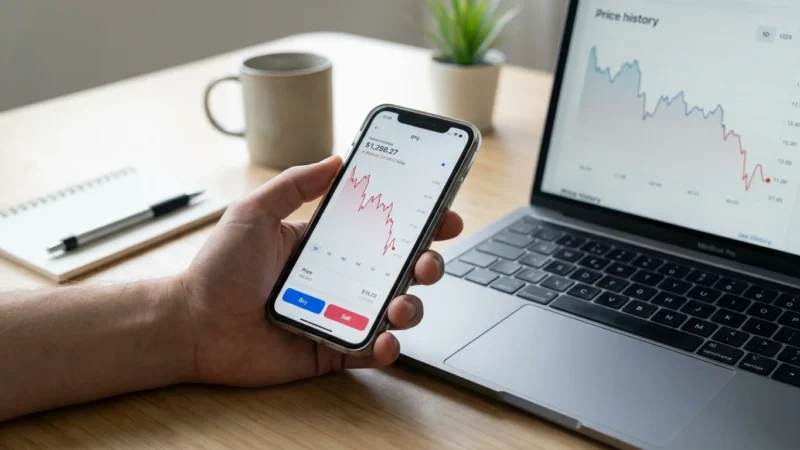
The Camelizer is purely a price history tool for Amazon. When looking at a product, click the extension icon to see a graph of that item’s price history over the last year.
Why it works: It reveals the truth behind “sales.” If a blender is marked “30% off,” CamelCamelCamel will show you if the current price is actually a deal or if the price was jacked up yesterday just to be marked down today. This transparency helps you avoid manipulation.
Standout Feature: You can set price alerts. If a set of headphones is $200 but you want them for $150, set an alert, and The Camelizer will email you when it hits that price.
9. Keepa
Keepa is similar to CamelCamelCamel but offers significantly more data density. It embeds price history charts directly onto the Amazon product page, so you don’t even have to click an extension icon.
Why it works: It tracks “Lightning Deals” and warehouse deals. For advanced users who want to know the difference between the “New” price and the “Used – Like New” price history, Keepa is unmatched.
Standout Feature: The direct integration into the page layout makes it impossible to ignore price history before you click “Buy Now.”
10. Fakespot
Saving money isn’t just about paying less; it’s about not wasting money on junk. Fakespot analyzes the reviews on Amazon, Best Buy, and Walmart to detect fake, paid, or bot-generated reviews.
Why it works: Buying a product that breaks in a week because you trusted five-star bot reviews is a waste of money. Fakespot assigns a grade (A through F) to the reliability of the reviews.
Standout Feature: The “Fakespot Guard” highlights reputable sellers, helping you avoid third-party scammers who might take your money and ship a counterfeit product.

Niche Savings Tools You Might Miss
11. InvisibleHand
InvisibleHand is discreet. It stays hidden until it finds a lower price. It is particularly effective for travel booking—flights, hotels, and rental cars—as well as general retail.
Why it works: It functions in real-time. As you browse a flight on an airline’s website, InvisibleHand will check if the same flight is cheaper on a travel aggregator site.
Standout Feature: Its travel capabilities distinguish it from the retail-heavy tools like Honey.
12. Coupert
Coupert is a hybrid tool that combines coupon hunting with cash back, similar to RetailMeNot. However, it has gained popularity for its strong performance on AliExpress and other international shipping sites.
Why it works: If you source goods from overseas marketplaces to save money, Coupert is often more effective at finding working codes for those specific platforms than US-centric extensions.
Standout Feature: It offers a clean, non-intrusive interface that summarizes your potential savings clearly.

Quick Comparison Guide
| Extension | Best For | Primary Function |
|---|---|---|
| Honey | Everyone | Auto-Apply Coupons |
| Rakuten | Cash Back Lovers | Cash Rebates |
| CamelCamelCamel | Amazon Shoppers | Price History Tracking |
| Capital One Shopping | Price Comparison | Cross-Store Pricing |
| Fakespot | Quality Control | Review Analysis |
| InvisibleHand | Travelers | Flight/Hotel Deals |

The “Stacking” Strategy for Maximum Savings
The true power of these tools comes from “stacking”—using multiple strategies on a single purchase. While you generally cannot run two coupon extensions simultaneously (they will conflict), you can stack different types of savings.
Example Scenario: Buying a New Laptop
- Step 1: Use Capital One Shopping to find which retailer has the lowest base price for the laptop.
- Step 2: Use Rakuten to activate 2% to 10% cash back at that retailer.
- Step 3: At checkout, let Honey or Cently scan for a coupon code to lower the price further.
- Step 4: Pay with a rewards credit card that offers an additional 1% to 2% cash back.
By layering these tools, you turn a standard purchase into a significant savings event. According to NerdWallet, maximizing credit card rewards in conjunction with shopping portals is a fundamental strategy for savvy consumers.

Privacy, Security, and Common Pitfalls
While these tools are free to use, the old adage applies: “If the product is free, you are the product.”
Data Privacy
To function, these extensions need to see the URLs you visit to know when you are on a shopping site. This means they collect data on your browsing habits. Most reputable companies (like PayPal/Honey and Rakuten) aggregate this data to sell market research, rather than selling your individual personal identity. However, you should always read the privacy policy.
According to the Federal Trade Commission (FTC), it is vital to understand what information you are sharing online. If you are uncomfortable with a company knowing your shopping history, these tools may not be for you.
The “Spending Trigger” Pitfall
The psychology of a “deal” can be dangerous. Seeing a “50% Off” notification can trigger dopamine, leading you to buy things you didn’t plan to purchase. A deal is only a deal if you were going to spend the money anyway.
Budgeting is essential. The Consumer Financial Protection Bureau (CFPB) advises that tracking your spending is the first step toward financial well-being. Do not let the promise of cash back derail your monthly budget.

When to Consult a Financial Professional
Browser extensions are excellent for tactical, day-to-day savings, but they are not a substitute for a comprehensive financial plan. You should consider seeking professional guidance if:
- You are in significant debt: If you are using shopping deals to justify spending while carrying high-interest credit card debt, you may need a debt management plan. The National Foundation for Credit Counseling (NFCC) can connect you with certified counselors.
- You have compulsive spending habits: If you find yourself unable to stop shopping online despite negative consequences, this is a behavioral issue, not a financial tool issue.
- You need long-term planning: For retirement planning, investing, or tax strategy, a Certified Financial Planner (CFP) is the appropriate resource.
- You are managing business procurement: If you are buying for a business, consumer tools may not offer the tax documentation or volume discounts you need.
Professional advisors can look at your holistic financial picture, whereas a browser extension only looks at your current shopping cart.
Frequently Asked Questions
Do these extensions cost money?
No, all the extensions listed in this article are free to download and use. They make money through affiliate commissions from the retailers, not by charging the user.
Can I use multiple extensions at the same time?
Yes, but with caution. You can have multiple extensions installed, but you should not try to activate multiple “cash back” offers simultaneously, as the last click usually wins the commission. It is best to pick one cash back portal per transaction. However, you can usually combine a price tracker (like CamelCamelCamel) with a coupon finder.
Will these extensions slow down my computer?
Extensions use system memory (RAM). If you install all 12, you will likely notice your browser slowing down. We recommend choosing 2 or 3 that best fit your shopping habits (e.g., one general coupon finder, one cash back tool, and one Amazon tracker).
Are these extensions safe to install?
The extensions listed here are from established companies with millions of users. However, you should always download extensions from official sources like the Chrome Web Store or the Microsoft Store. Be wary of copycat extensions with few reviews. For more on online safety, the Federal Trade Commission (FTC) provides resources on how to protect your device from malware.
When should I consult a professional about my spending?
If you find that your online shopping is causing you to miss bill payments, accumulate debt, or hide purchases from family members, you should seek help immediately. Financial therapists and credit counselors are trained to help with the behavioral side of money management.
Do these work on mobile phones?
Most browser extensions are designed for desktop browsers (Chrome, Edge, Firefox). However, many of these companies (like Honey, Rakuten, and Ibotta) have dedicated mobile apps that offer similar functionality for shopping on your phone. Safari on iPhone also supports some extensions.
Last updated: January 2026. Information accurate as of publication date. Financial regulations, rates, and programs change frequently—verify current details with official sources.
This article was reviewed for accuracy by our editorial team.
For trusted financial guidance, visit
AARP Money,
National Foundation for Credit Counseling (NFCC),
FINRA Investor Education,
Certified Financial Planner Board and
NerdWallet.
Important: EasyMoneyPlace.com provides educational content only. We are not licensed financial advisors, tax professionals, or registered investment advisers. This content does not constitute personalized financial, tax, or legal advice. Laws and regulations change frequently—verify current information with official sources.
Disclaimer: This article is for informational purposes only and does not constitute financial, tax, or legal advice. Individual financial situations vary, and we encourage readers to consult with qualified professionals for personalized guidance. For those experiencing financial hardship, free counseling is available through the National Foundation for Credit Counseling.







Leave a Reply